


What is Microsoft Copilot Cowork? What it means for your business, in plain English
Microsoft has just made Copilot Cowork generally available worldwide and a lot of businesses are asking us the same questions:
- What is it?
- How is it different from the Copilot we already have?
- When should I use this?
- How do I use it?
- What does it cost?
Here is a straightforward walk through, so you can decide whether it is worth your attention.
What does Copilot Cowork actually do?
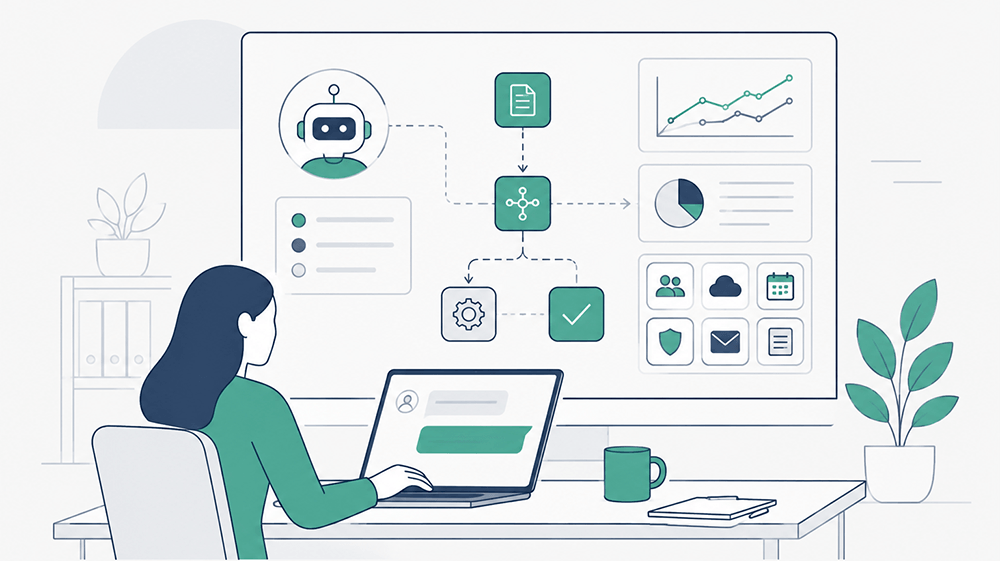
Most people are used to Copilot as an assistant that helps you draft, summarise, compare or answer questions in the moment. Cowork is a step beyond that. You hand it a complex piece of work, and it goes away and does the whole process end to end, then comes back with a finished result rather than a draft you still have to finish yourself.
We have already shown clients how to put Cowork to work on the kinds of tasks that eat up time across a business, good examples of this are the joiners, movers and leavers process, client onboarding, and other common, repeatable jobs that span multiple teams, steps and systems. These are exactly the sort of multi-step tasks Cowork is built for, where it can run the whole process end to end rather than leaving someone to stitch the pieces together by hand.
The simplest way to think about it, ordinary Copilot helps you do a task faster, Cowork takes the task off your plate.
Why Microsoft says it is different
Microsoft points to a few design choices that set it apart.
It runs in the cloud, not on your laptop, so your files are not stored locally, and a long job keeps running even when your machine is off. It is grounded in the systems your business already uses, so the output reflects your real context rather than generic answers. It stays inside your existing Microsoft 365 security boundary and inherits the controls and policies you already have. And it is built to use more than one AI model, so the right model can be matched to the job.
As of launch in June 2026, Cowork runs on Anthropic models including Opus 4.8 and Sonnet 4.6, with Microsoft’s own Cowork 1 model arriving shortly and aimed at handling everyday tasks at a lower cost.
The bit that catches people out: How it is priced
This is where most of the confusion sits, so it is worth being clear.
To use Cowork at all, each person needs a Microsoft 365 Copilot licence (the per user per month subscription not the free Chat version). Cowork then sits on top of that and is billed on usage, not a flat fee. In other words, you pay for what you actually run.
Usage is measured in Copilot Credits, and the cost of each task depends on four things: which model it used, how much of your data it had to pull in, how many tools it called, and how long it ran. Microsoft groups real-world tasks into three rough sizes to help you picture this:
- Light tasks use a few sources, light reasoning, and produce one output or fewer.
- Medium tasks pull from several sources, apply more structured reasoning, and produce a couple of outputs.
- Heavy tasks gather broadly, reason deeply, and produce many outputs.
Pay-as-you-go is priced at one cent per Copilot Credit. There is also a commitment option (called P3) where you agree a volume of usage up front in return for a discount. Microsoft has published a cost estimator spreadsheet so you can model your own likely spend before committing.
Business leaders and budget holders need to be aware that this is a genuinely different commercial model from the predictable per-seat pricing most organisations are used to, and it needs planning. The flip side is that you only pay for value you actually consume.
Keeping control of cost and governance
Because billing is usage-based, Microsoft has built the cost controls in from the start, organised around three ideas: control, visibility and efficiency.
- Control
Cowork is controlled by your Microsoft 365 admin. The admin decides when to switch it on and who gets access, albeit if you already use Copilot Credits and have set up usage-based billing for other services like Copilot studio, then some users may well already have access, well worth a check if this is not your intention. Admins can set spending limits at the level of the whole tenant, a group, or an individual user, and configure alerts so the right people are notified when spend crosses a threshold. If a user runs out of credits mid-task, they can request more from inside the app. - Visibility
Admins can see usage broken down by user, group and feature, so there is clear accountability. Per-task pricing shown to users as they run a job is coming shortly after launch. - Efficiency
You choose between pay-as-you-go for flexibility or the P3 commitment for a discount, and where multiple models are available you can pick a cheaper model for a given task.
On the governance side, the reassuring point for regulated and security-conscious organisations is that Cowork sits inside your existing Microsoft 365 controls rather than alongside them. Prompts, responses and anything Cowork generates flow through the same protections you already run, audit logging, eDiscovery, Insider Risk Management, Data Security Posture Management, sensitivity labels carried through end to end, and Microsoft Purview for data security and compliance. Data Loss Prevention support is on the way. Data residency follows the same model as the rest of Copilot.
There is also a browser capability: Cowork can complete web tasks through Microsoft Edge on the user’s own device, using their existing sign-ins and inheriting your organisation’s existing browsing, conditional access and data loss policies. Admins control whether this is available at all, which sites are reachable, and every browser task is recorded in the audit log.
What an admin needs to switch on
For anyone responsible for setting this up, the practical sequence is roughly:
- Enable usage-based billing. This is the gate. Without it, users cannot access Cowork.
- Decide on discoverability. You can make Cowork visible to users so they can request access and approve those requests against your own policy.
- Set your spending limits and alerts at tenant, group and user level before usage ramps up.
-
Manage the models you want available (you can turn individual ones off in the Microsoft 365 admin centre).
- Manage plugins that extend what Cowork can do, controlling which are available and to whom.
- Decide on browser use and confirm it respects your existing Edge policies.
One useful detail on timing- Organisations that had at least one person using Cowork during the preview period (30 March to 16 June) get a grace period and will not be billed for Cowork usage until 1 July 2026.
Where this fits with Agent 365
Cowork is part of a wider shift Microsoft is making towards agents that carry out work rather than just assist with it. If you are already thinking about Agent 365 and how to govern AI agents across your organisation, Cowork is very much in the same family and the same governance conversation.
How we can help
We have launched our dedicated Microsoft Copilot Cowork training course designed to take the confusion out of all of the above and help your teams use these new capabilities safely and cost-effectively, and we are currently actively developing our Agent 365 course to compliment this.
There is a lot going on and everything is moving very fast, so if your business wants help with exploring Copilot, Cowork or Agent 365, whether that is understanding what to use them for, how they can help you re-engineer your processes, the pricing models, getting the governance and cost controls right, or planning a sensible rollout, get in touch with us via our contact page, or via our AI training course pages.
Other AI articles you may be interested in:
Every few days, a new AI model seems to drop from one of the big AI companies. But as a normal person, how do you work out whether a new AI model is actually better than what you were using before? In this article we look at ways in which you can test out which model is most applicable for your business needs.
From boardrooms to marketing teams, leaders in businesses are being told they need AI to stay competitive. But amid the hype and noise, one crucial question often gets overlooked - what’s the actual return on investment (ROI)? Is it all worth the effort?
We take a look at the various ChatGPT modules and find out which ones best suited for what business tasks. We look at GPT-4o, GPT-4o Mini, GPT-4, OpenAI o1, OpenAI o1 Mini, OpenAI o1 Pro Mode, OpenAI o3 Mini and look at what they are best for, their purpose and how you access these models.
There’s still some confusion as to what an AI agent actually is. In many cases it’s probably still just simple automation with a fancy name. But at the more sophisticated end of the spectrum, these autonomous systems have the potential to change the way businesses operate.
Many organisations stumble when it comes to implementing AI because they lack that clear framework and organisational structure to manage it. This is where an AI council comes in. But what exactly is an AI council?
AI tools have become indispensable for many businesses looking to boost productivity, creativity, and efficiency. Yet, lurking behind many official corporate policies (if they exist) is shadow AI.


iwantmore.ai – The AI consulting firm that helps you build a smarter business
Wherever you are with your AI implementation initiatives, we have a range of stand-alone AI quick start services to help you fast track the transformative benefits of AI across your business.
