















Providing your employees with the practical skills they need to start using Copilot more effectively
The session covers all core in-app Copilot experiences – including Word, Excel, PowerPoint, Outlook, Teams, and OneNote – alongside an introduction to Copilot Studio and creating simple Copilot agents.
Training tailored to your specific business
Delivered by experienced Copilot practitioners, the course blends demonstrations, guided exercises, and practical ‘real world’ examples to help users get the most from Copilot on day one.






What your employees will learn:
This one day interactive workshop provides practical, hands-on training for using Microsoft 365 Copilot across everyday applications. Participants will learn how Copilot enhances productivity, creativity, and collaboration through intelligent prompts and natural-language interaction.

The Copilot ecosystem
Understand Copilot’s role across Microsoft 365 apps and its integration with data and permissions
Copilot in Word
Generate, summarise, and edit content in Word using prompts

Copilot in Excel
Analyse and visualise data in Excel with AI-assisted formulas, summaries, and insights
Copilot in Powerpoint
Create and design professional presentations in PowerPoint using natural-language commands

Copilot in Outlook and Teams
Manage inboxes, meetings, and communications with Copilot in Outlook and Teams

Copilot in OneNote
Capture and organise ideas more efficiently and effectively

Copilot Agents
Explore existing agents such as Researcher and Analyst, and learn to create your own simple agents

Data security
Participants will understand how Copilot accesses organisational data and what controls are in place

“The iwantmore.ai course we took was very much about solving our business problems – not just delivering training from a manual. It was very ‘hands on’ and business led.”
“The iwantmore.ai course we took was very much about solving our business problems – not just delivering training from a manual. It was very ‘hands on’ and business led.”
Nick Seaman – Head of Business Data – Midwich Group
Nick Seaman – Head of Business Data – Midwich Group
Client testimonial
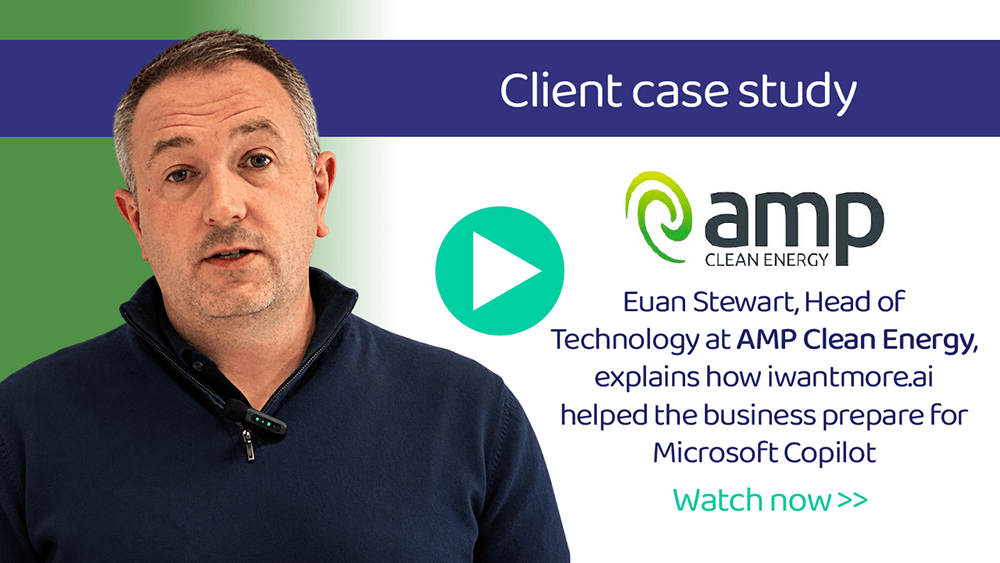
Head of Technology at AMP Clean Energy discusses how iwantmore.ai helped train the company to use Microsoft Copilot
AMP Clean Energy helps businesses transition to net zero by providing practical industrial heat decarbonisation, local grid flexibility, and comprehensive energy services. In this testimonial Euan Stewart from AMP explains:
- How iwantmore.ai delivered tailored Copilot training for their employees to help them get the best from their investment.
- How iwantmore.ai helped the business ensure their systems and data were ready for AI adoption.
Meet our training team:
Our trainers are highly experienced AI practitioners and business advisors who have built their experience at some of the biggest global technology and consulting firms, delivering AI and automation training to companies across the UK and globally.

Craig Bird
Microsoft 365 trainer
Craig Bird has 20 years of experience as a trainer, and spent over a decade at Microsoft working directly with the technologies that now sit at the heart of modern business productivity. That experience gives him a rare depth of knowledge when it comes to Microsoft 365, Copilot, and the Power Platform, and he brings it all into the training room. Whether he’s working with teams who are brand new to Copilot or helping organisations get more from tools they already have, Craig makes the complex feel straightforward. It’s practical, hands-on training built on real-world experience rather than theory.

Sara Fennah
Microsoft 365 trainer
Sara Fennah is a Microsoft MVP and Microsoft Certified Trainer with over 25 years of experience in IT and more than 50 Microsoft certifications to her name. She came to technology via an earlier career as a secondary school languages teacher, and that background shows in the way she trains: clear, accessible, and focused on bringing people with her rather than leaving them behind. Sara has been working with Microsoft 365 since its preview in 2011, which gives her a depth of hands-on experience that few can match. She specialises in productivity, data security, and compliance, and is a recognised authority on Microsoft 365 Copilot, having authored multiple courses and supported organisations with adoption and governance. A regular speaker at industry events and an active contributor to the Microsoft community, she covers everything from end user essentials right through to admin-level configuration.

Simon Williams
Microsoft 365 trainer
Simon Williams is Head of Technology at iwantmore.ai and spent eleven years at Microsoft, progressing through the full stack of its data and automation technologies. That breadth of experience means he can take teams from the basics of Microsoft 365 Copilot right through to building agents in Copilot Studio and designing automated workflows in Power Automate, meeting people where they are and building their confidence as the complexity grows.

Matt Leach
Microsoft 365 trainer
Matt is a former Microsoft Account CTO and AI consultant with more than 25 years’ experience helping organisations unlock the value of technology. He specialises in turning complex AI concepts into practical skills through engaging, hands-on training that resonates with both technical and non-technical audiences. Combining real-world experience with an approachable, energetic delivery style, Matt equips individuals and teams with the confidence to adopt AI safely, effectively and with measurable business impact.
