















Providing your employees with the practical skills they need to start using Copilot more effectively
The session covers all core in-app Copilot experiences – including Word, Excel, PowerPoint, Outlook, Teams, and OneNote – alongside an introduction to Copilot Studio and creating simple Copilot agents.
Training tailored to your specific business
Delivered by experienced Copilot practitioners, the course blends demonstrations, guided exercises, and practical ‘real world’ examples to help users get the most from Copilot on day one.
What your employees will learn:
This one day interactive workshop provides practical, hands-on training for using Microsoft 365 Copilot across everyday applications. Participants will learn how Copilot enhances productivity, creativity, and collaboration through intelligent prompts and natural-language interaction.

The Copilot ecosystem
Understand Copilot’s role across Microsoft 365 apps and its integration with data and permissions

Copilot in Word
Generate, summarise, and edit content in Word using prompts

Copilot in Excel
Analyse and visualise data in Excel with AI-assisted formulas, summaries, and insights

Copilot in Powerpoint
Create and design professional presentations in PowerPoint using natural-language commands

Copilot in Outlook and Teams
Manage inboxes, meetings, and communications with Copilot in Outlook and Teams

Copilot in OneNote
Capture and organise ideas more efficiently and effectively

Copilot Agents
Explore existing agents such as Researcher and Analyst, and learn to create your own simple agents

Data security
Participants will understand how Copilot accesses organisational data and what controls are in place

“The iwantmore.ai course we took was very much about solving our business problems – not just delivering training from a manual. It was very ‘hands on’ and business led.”
“The iwantmore.ai course we took was very much about solving our business problems – not just delivering training from a manual. It was very ‘hands on’ and business led.”
Nick Seaman – Head of Business Data – Midwich Group
Nick Seaman – Head of Business Data – Midwich Group
Client testimonial
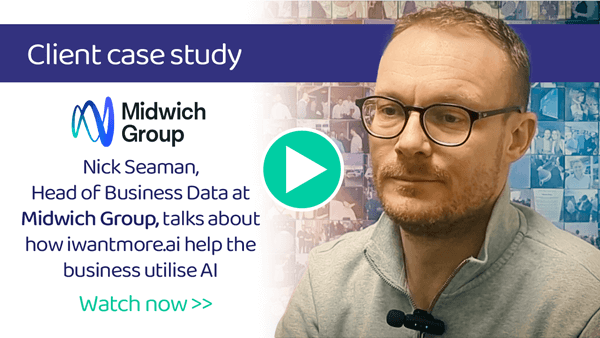
Head of Business Data at Midwich Group PLC discusses iwantmore.ai
The Midwich Group PLC is a leading, global specialist distributor of audiovisual (AV) and document solutions, serving the trade market across the UK, Ireland, EMEA, Asia Pacific, and North America. Based in the UK, the company works with over 800+ vendors to provide technology products, technical support, and services to system integrators, resellers, and retailers.
- How he and the team found working with iwantmore.ai
- How, alongside the consultancy work, he found the iwantmore.ai training delivered tangible business benefits
Meet our training team:
Our trainers are highly experienced AI practitioners and business advisors who have built their experience at some of the biggest global technology and consulting firms, delivering AI and automation training to companies across the UK and globally.

Craig Bird
Microsoft 365 trainer
Craig Bird has 20 years of experience as a trainer, and spent over a decade at Microsoft working directly with the technologies that now sit at the heart of modern business productivity. That experience gives him a rare depth of knowledge when it comes to Microsoft 365, Copilot, and the Power Platform, and he brings it all into the training room. Whether he’s working with teams who are brand new to Copilot or helping organisations get more from tools they already have, Craig makes the complex feel straightforward. It’s practical, hands-on training built on real-world experience rather than theory.

Simon Williams
Microsoft 365 trainer
Simon Williams is Head of Technology at iwantmore.ai and spent eleven years at Microsoft, progressing through the full stack of its data and automation technologies. That breadth of experience means he can take teams from the basics of Microsoft 365 Copilot right through to building agents in Copilot Studio and designing automated workflows in Power Automate, meeting people where they are and building their confidence as the complexity grows.
